Fleet and financial records brought together for review

LeadingRoute

Control the Numbers

Reconcile revenue, control vehicle costs and driver accounts, and prepare payroll and accounting outputs from the operating records behind each number.

Revenue Management

Revenue records connect the source, driver, vehicle and operating period.

Trace revenue from source to driver and vehicle.

Review reconciled revenue by portal, driver and vehicle while retaining a route to the working records behind the result.

Revenue By Source

  • Compare revenue by supplier and portal
  • Review contribution and performance over time
  • Follow profitability trends across the operating year
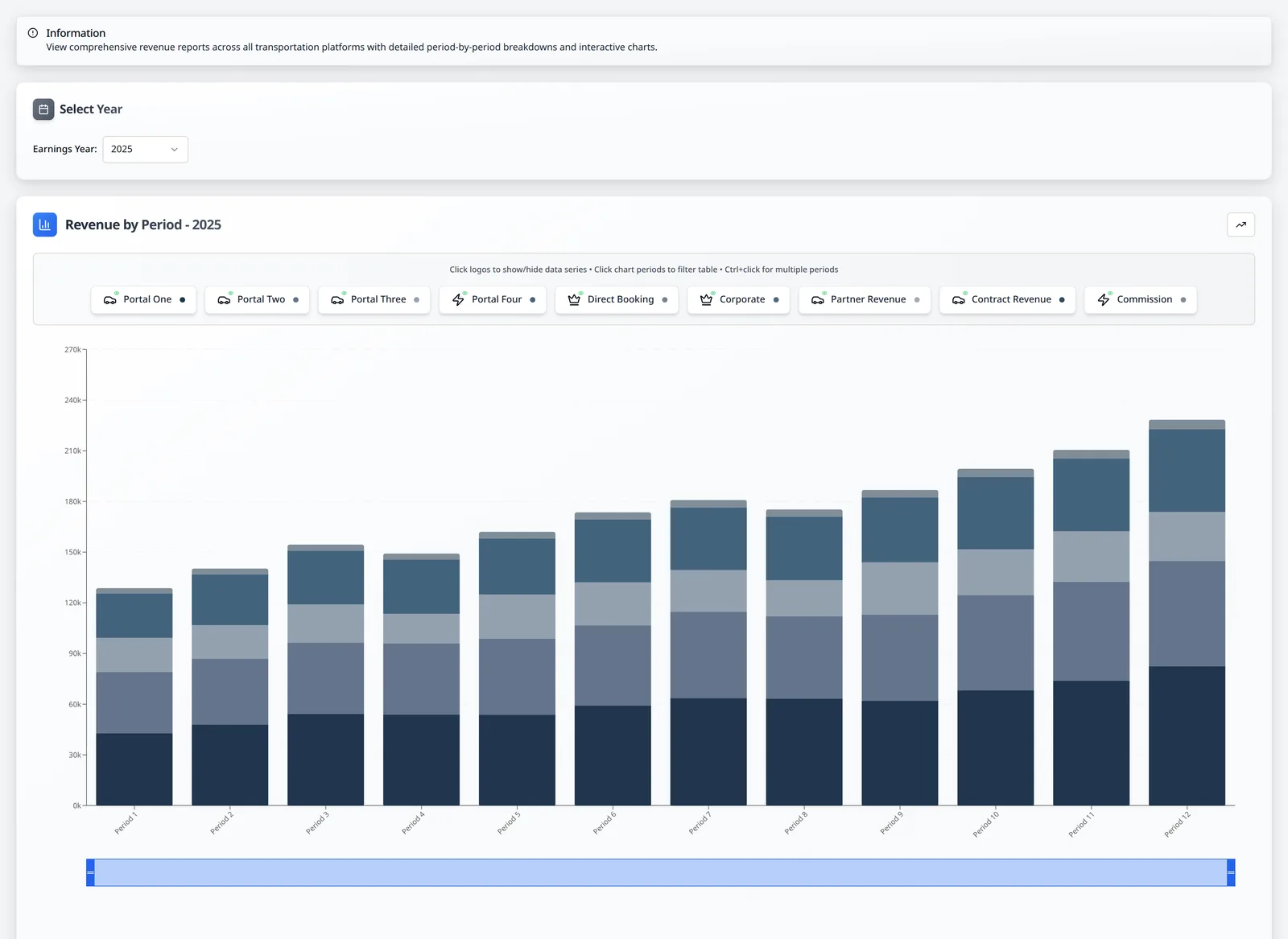
LeadingRoute full-year revenue summary with sanitized portal trend analysis
Revenue by Portal

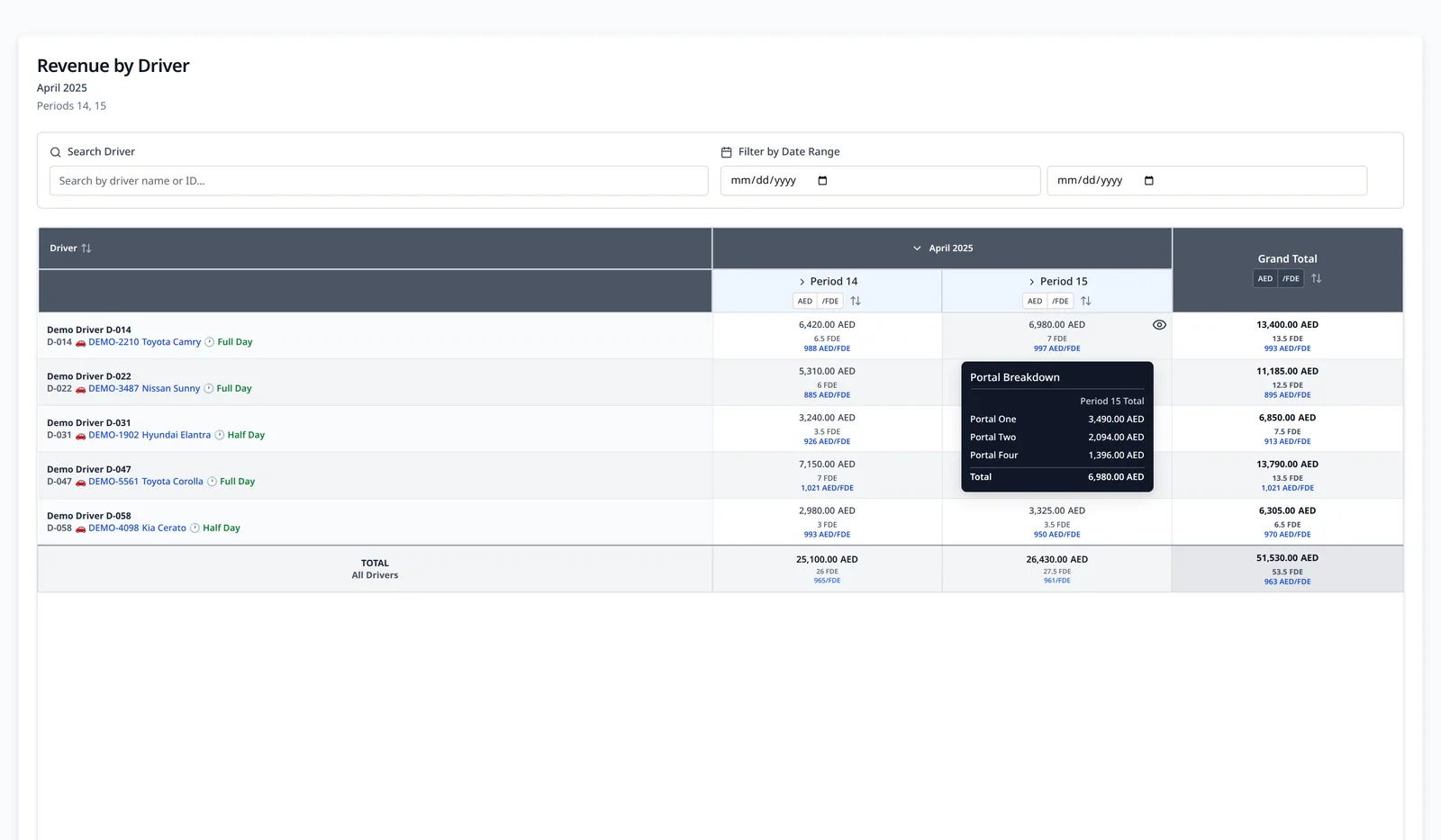
Revenue By Driver

  • Review reconciled revenue for each driver
  • Move from totals into portal and daily breakdowns
  • Trace each result to its supporting trips
LeadingRoute revenue-by-driver report with trips and earnings
Revenue by Driver

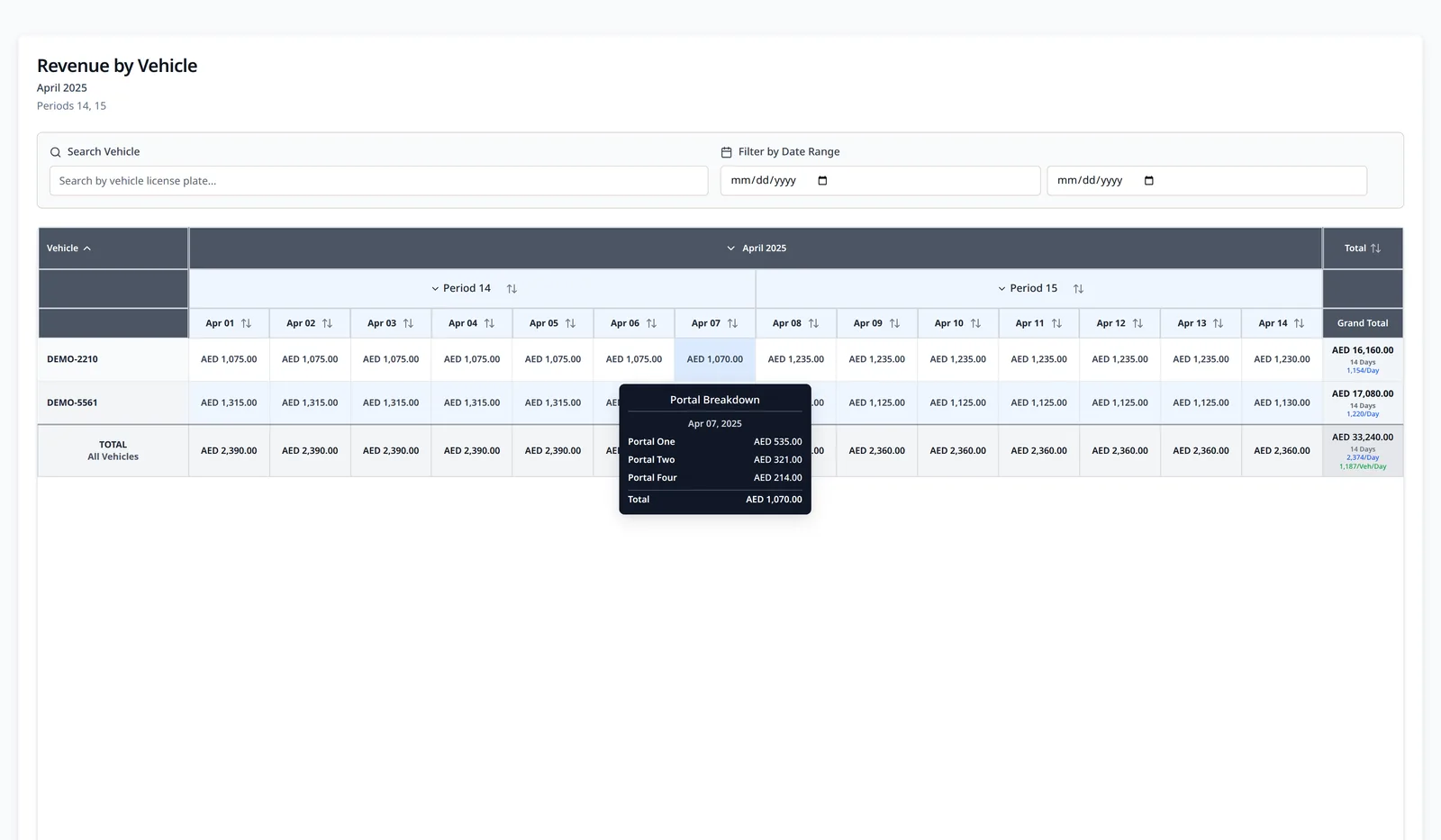
Revenue By Vehicle

  • Review reconciled revenue for each vehicle
  • Move from fleet totals into vehicles, portals and days
  • Trace each result to its underlying trips
LeadingRoute revenue-by-vehicle report with an open sanitized portal breakdown
Vehicle Revenue Tracking

Cost Management

Vehicle cost management retains the vehicle and transaction context behind each comparison.

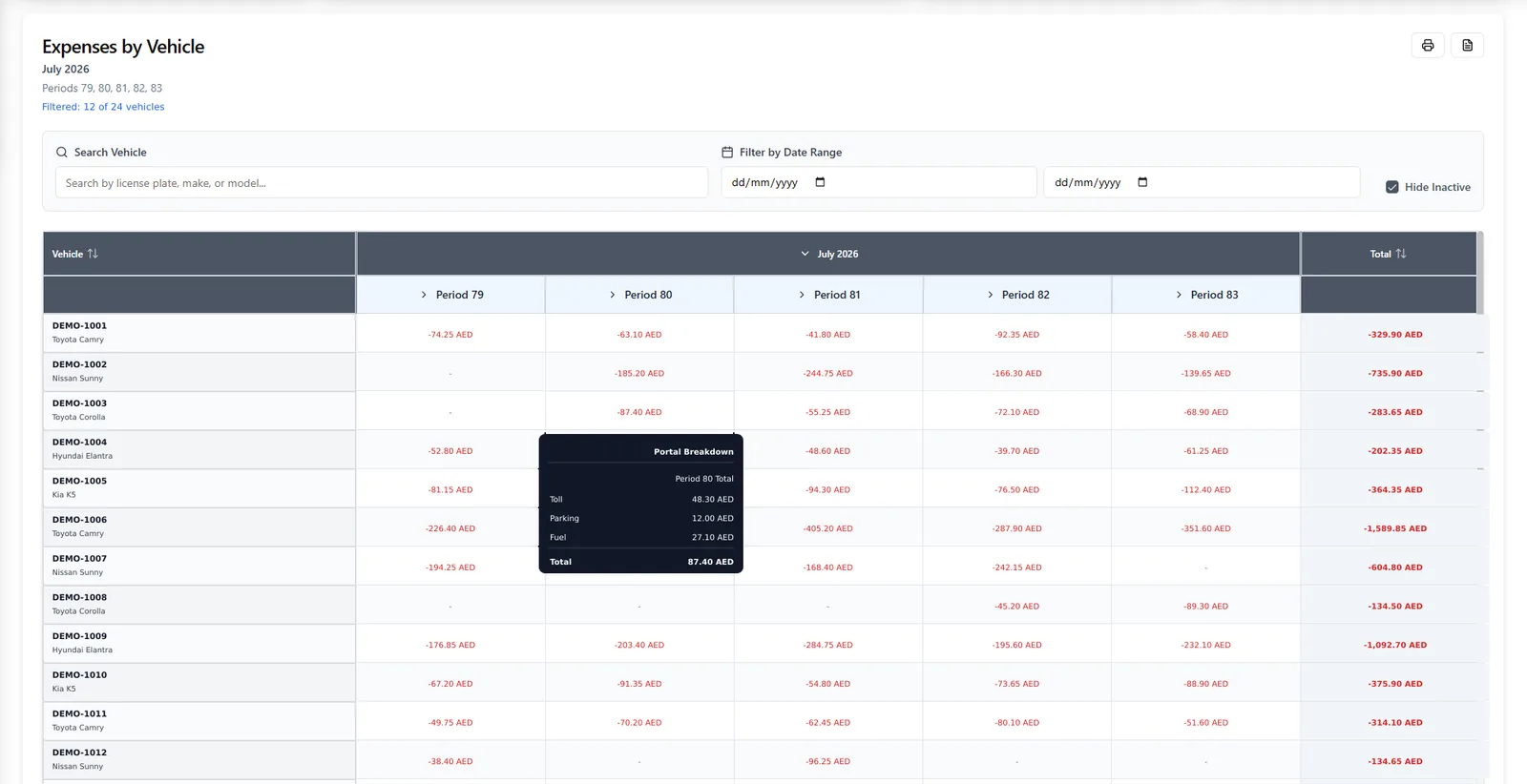
Compare vehicle costs and investigate the records behind them.

Bring vehicle operating costs and cost comparison into one management view, then continue into the source records supporting each total.
Vehicle Costs and Comparison

  • See operating costs against the vehicles that generated them
  • Compare attributed expenses across vehicles
  • Review the supporting records behind each total
LeadingRoute cost-by-vehicle report with attributed operating costs
Operating Costs by Vehicle

Source Drill-Down

  • Move from management summaries into individual records
  • Review a specific driver or vehicle
  • Continue into the related trips, revenue and costs
LeadingRoute revenue-by-driver report with trips and earnings
Revenue by Driver

Driver Accounts

Driver accounts retain the operating evidence behind each charge, payment, deduction and balance.

Keep every driver account transparent and connected.

Attribute transactions to the relevant driver and vehicle, maintain running balances and prepare clear statements from the resulting account history.
Cost Attribution

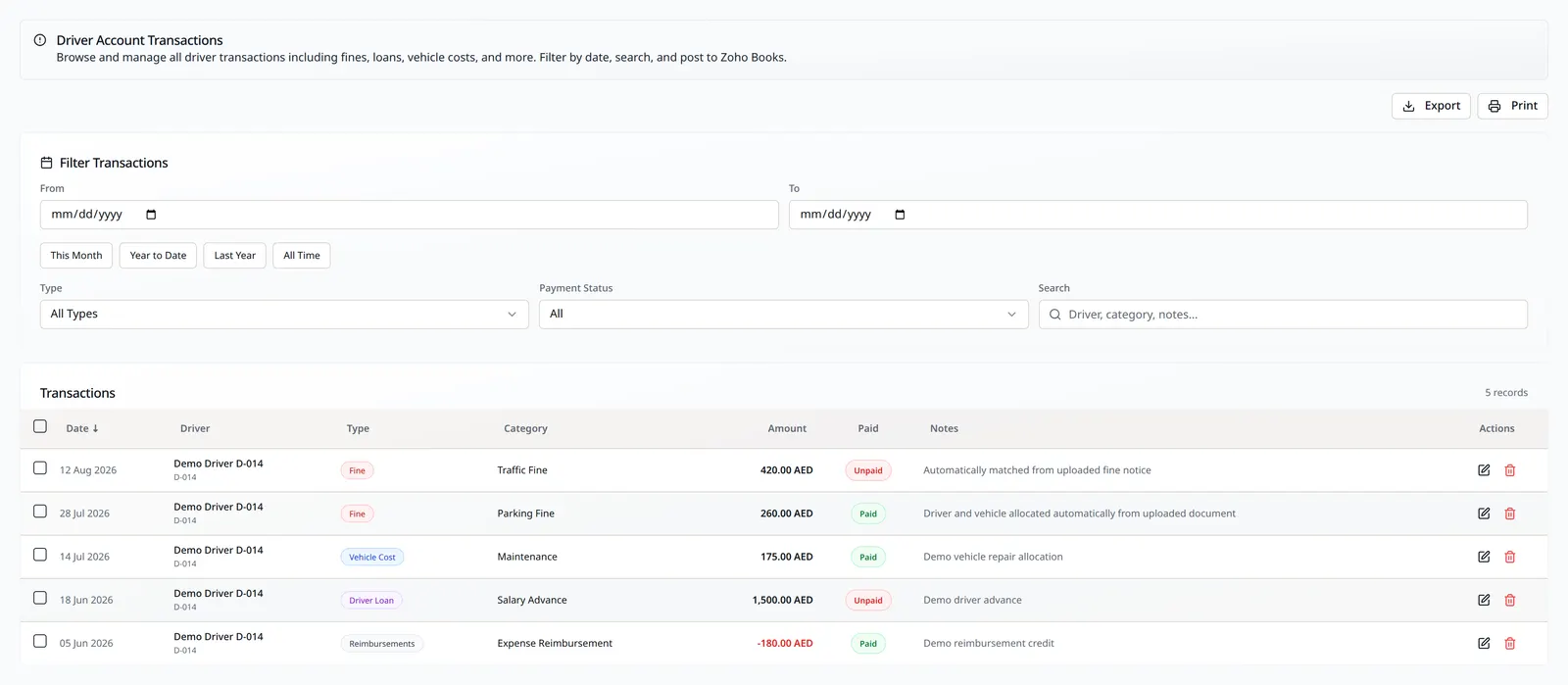
  • Attach the responsible driver and vehicle to each transaction
  • Preserve the operating context behind attributed costs
  • Review the supporting transaction record
LeadingRoute transaction screen with driver and vehicle cost records
Driver & Vehicle Cost Attribution

Driver Balances

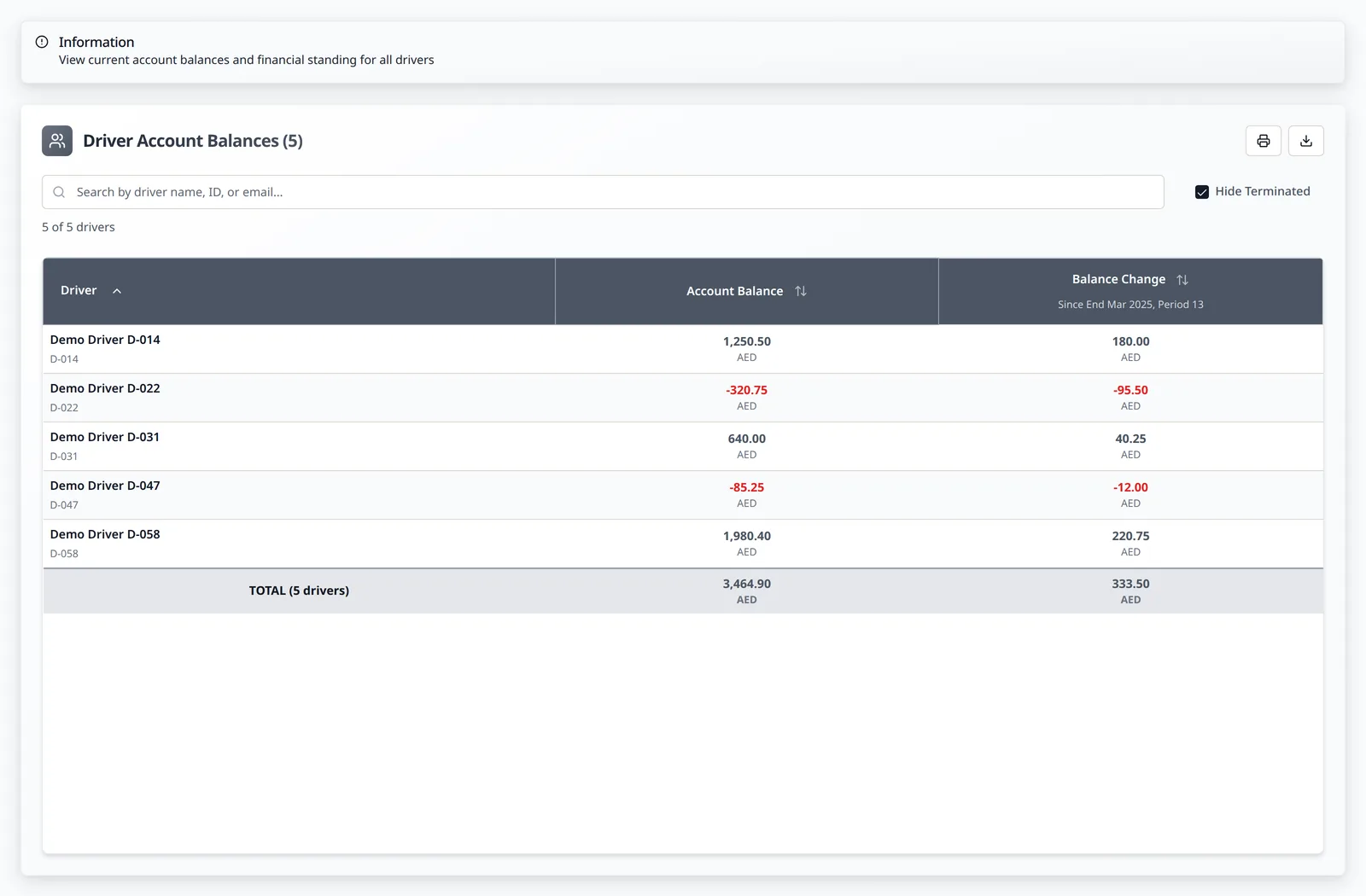
  • Maintain a separate running balance for each driver
  • Track earnings, cash, charges and advances
  • Record deductions, repayments and full account history
LeadingRoute driver account balances with individual balances and period changes
Driver Account Balances

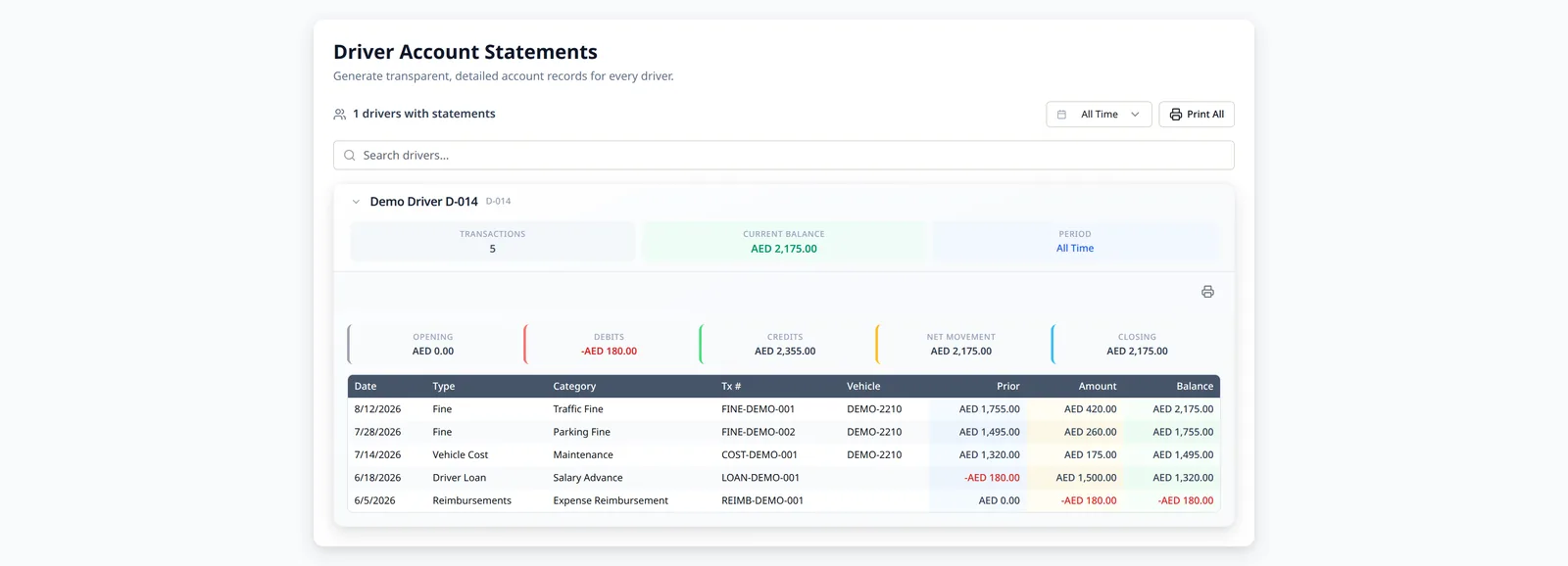
Driver Account Statements

  • Produce a detailed statement for each driver
  • Show a transparent history of transactions and movements
  • Explain how the resulting balance was reached
LeadingRoute generated driver account statement with opening balance, debits, credits, closing balance and detailed fictional transactions
Driver Account Statement

Payroll & Accounting

Payroll and accounting outputs remain connected to the approved driver and operating records behind them.

Turn approved records into payroll, WPS and accounting outputs.

Use approved revenue, shift and driver-account records to prepare payslips, deductions, bulk payroll, salary files and linked accounting entries.
Payslip Preparation

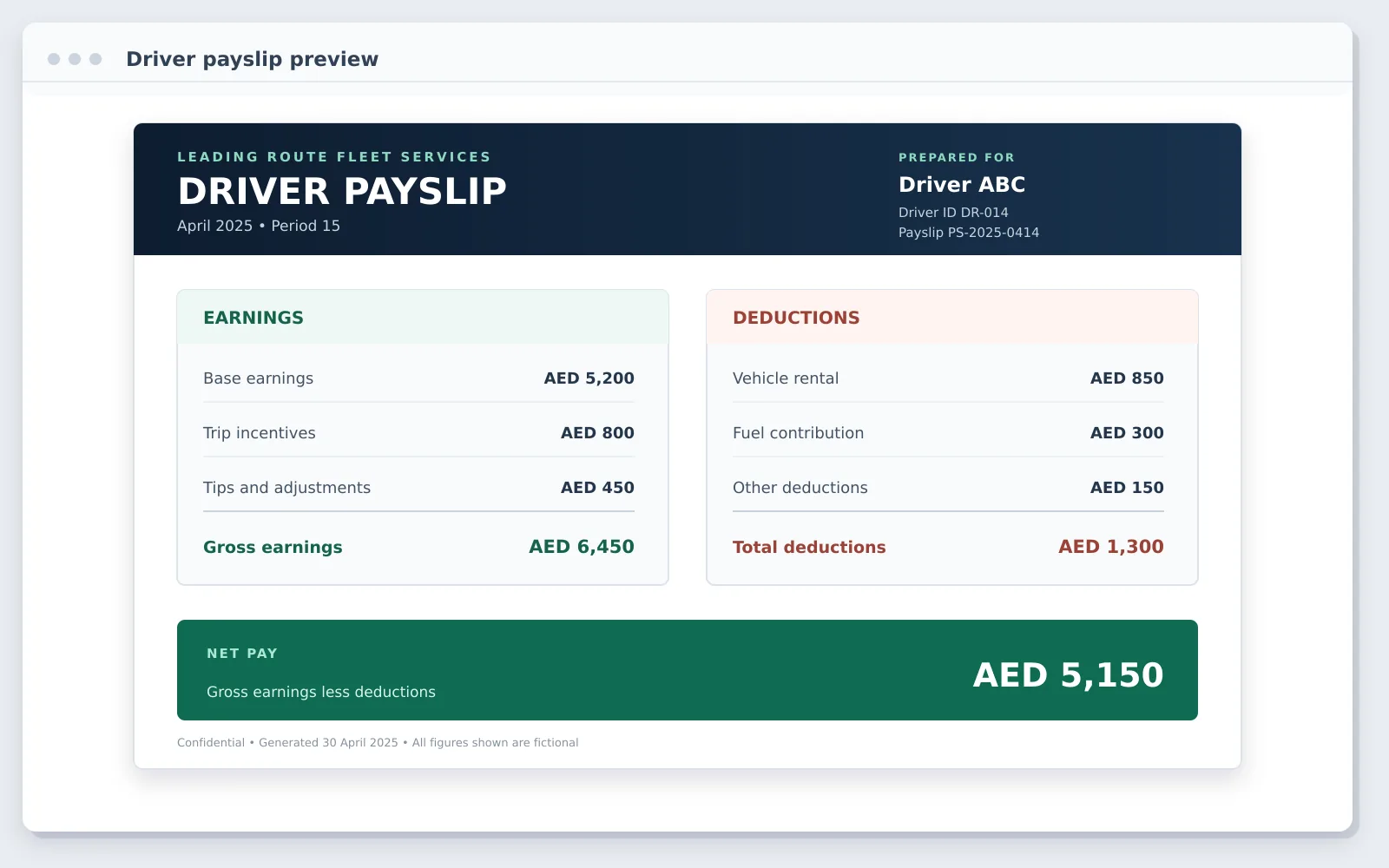
  • Calculate earnings and commission from approved records
  • Apply deductions from cash and driver-account activity
  • Prepare a complete payslip for each driver
A compact fictional printed payslip for Driver ABC with earnings, deductions and net pay
Printed Driver Payslip

Payroll Deductions

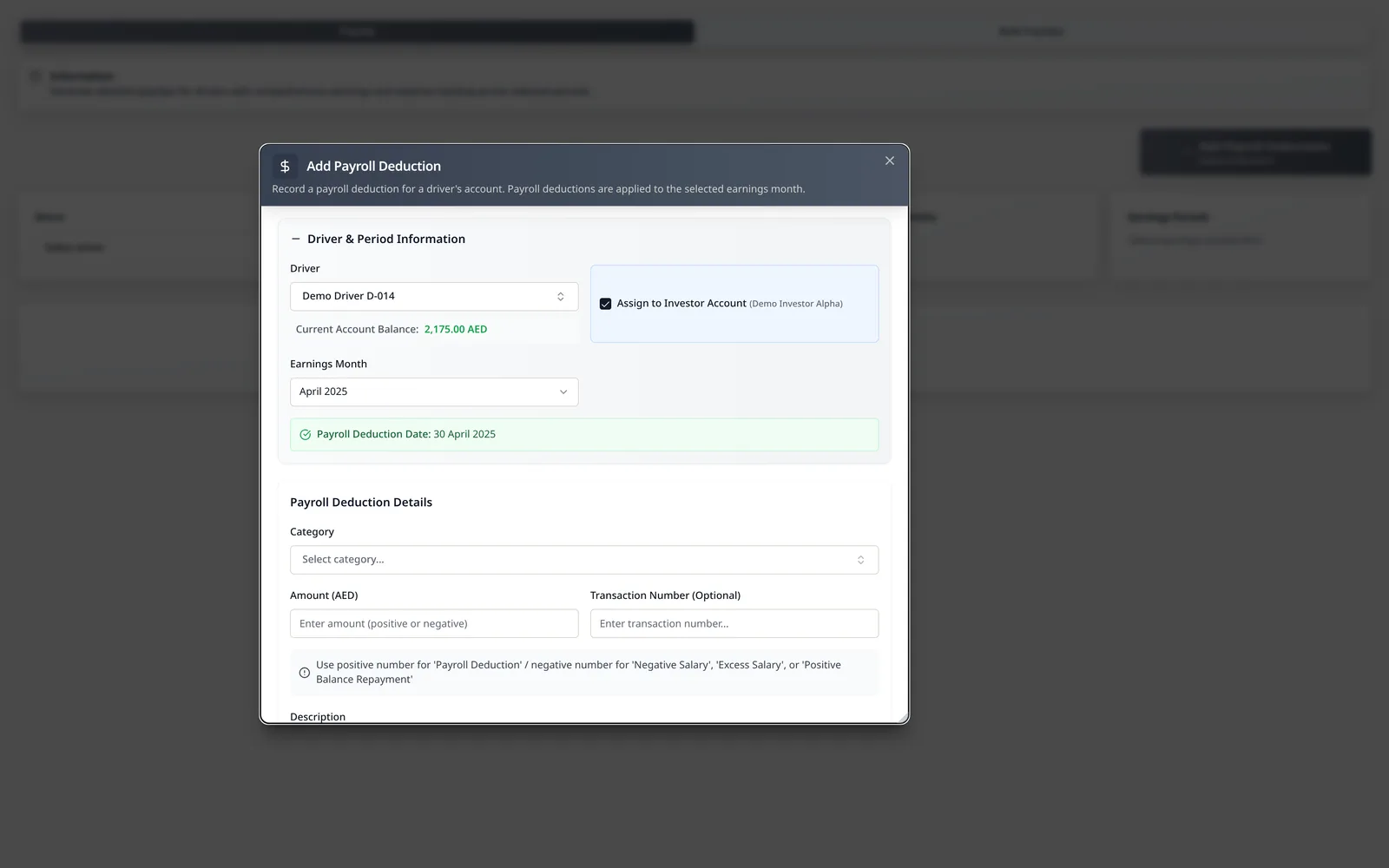
  • Add and manage payroll deductions in one place
  • Connect each deduction to the relevant driver account
  • Carry the deduction into the related payroll calculation
LeadingRoute Add Payroll Deduction dialog shown over the payroll page with a fictional driver and earnings month
Payroll Deductions

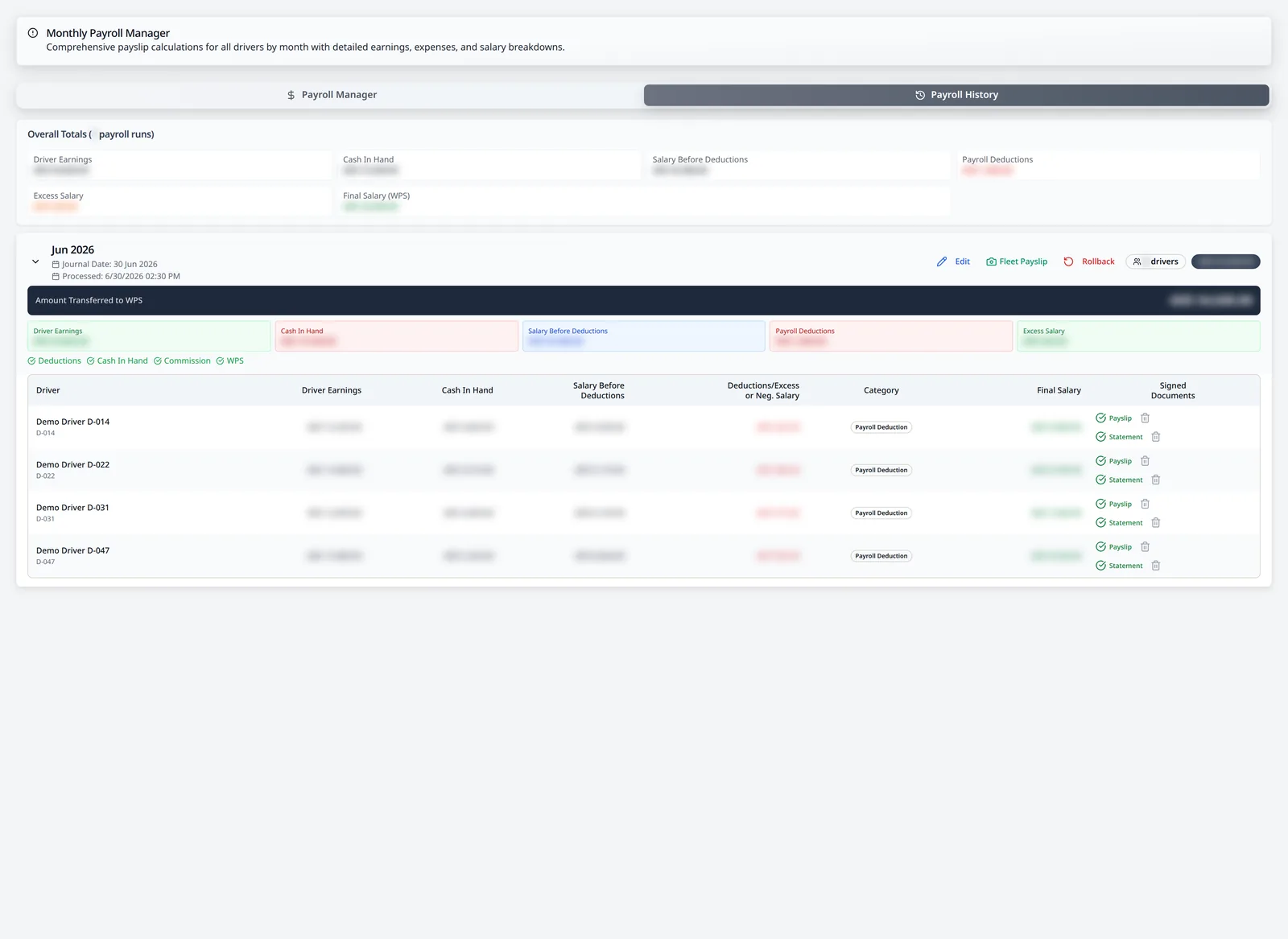
Payroll Processing

  • Process monthly payroll in bulk
  • Prepare related accounting entries
  • Produce payslips and driver statements
  • Manage the payroll cycle as one controlled process
LeadingRoute monthly payroll history with an expanded fictional June 2026 bulk payroll run, signed document checks and blurred financial values
Bulk Payroll Processing

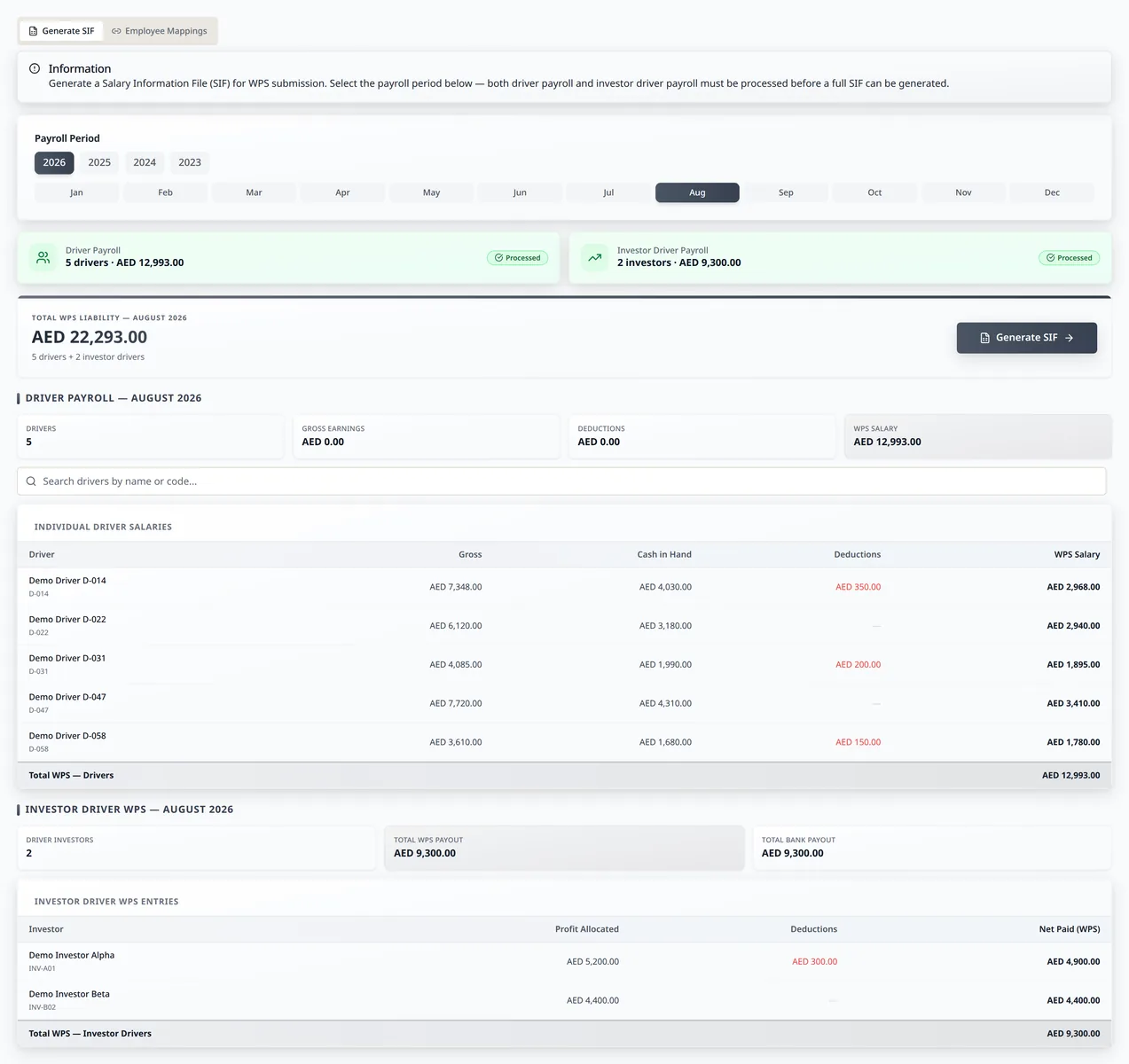
WPS And SIF Preparation

  • Prepare WPS and SIF salary files
  • Use the same approved payroll records
  • Avoid rebuilding employee and salary information separately
LeadingRoute WPS and SIF generation screen with salaries and file preview
WPS & SIF Generation

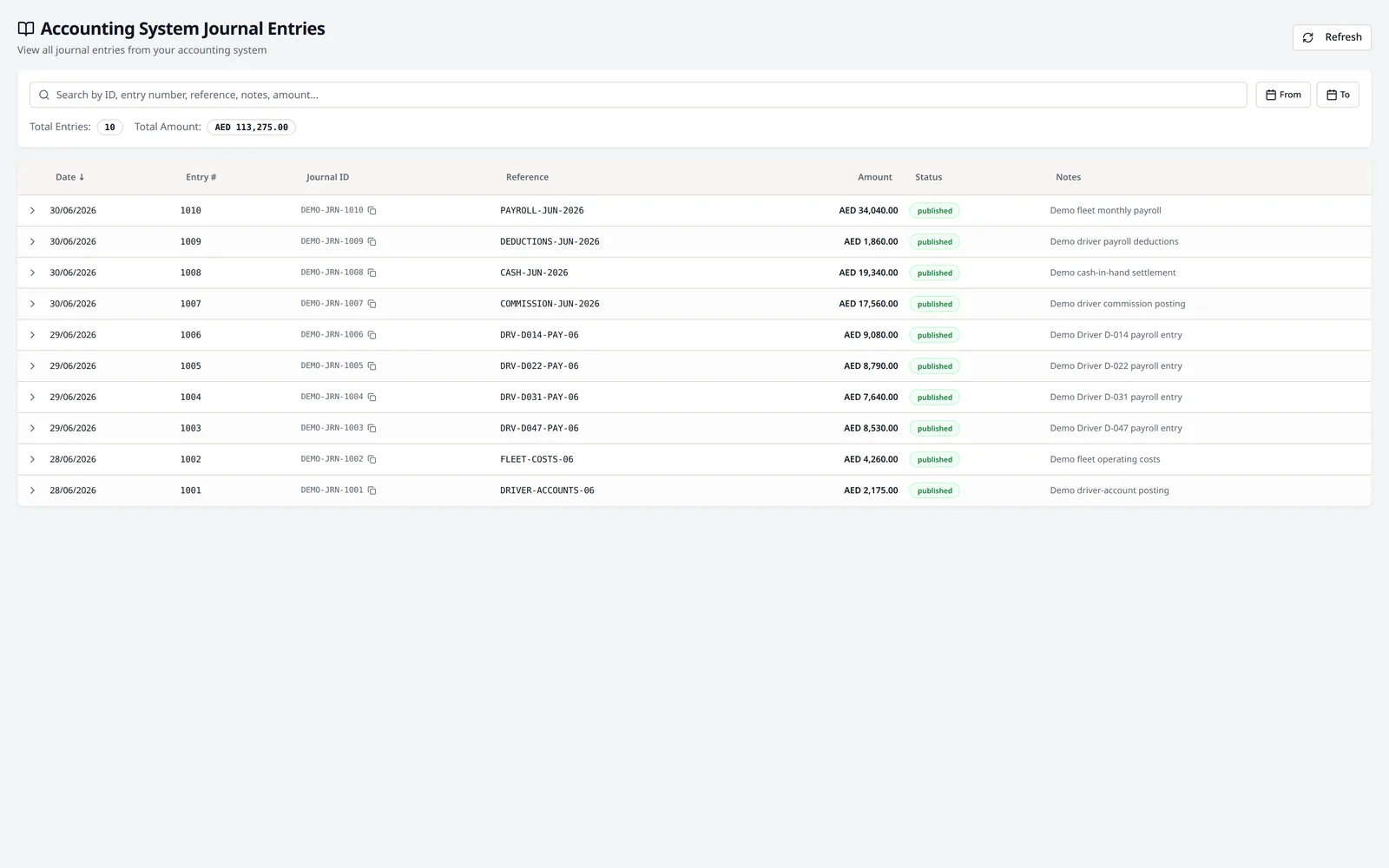
Accounting Integration

  • Connect LeadingRoute to the company’s accounting system
  • Configure approved payroll, driver transactions, revenues and costs to create the relevant accounting entries
  • Avoid manually entering the same approved information again
  • Tailor account mappings, approval rules and posting workflows to the way the business operates
  • Retain the source evidence and audit history behind each posting
LeadingRoute accounting-system journal screen with fictional linked entries and amounts
Accounting System Automation

See control the numbers in your own operating context.

A walkthrough of LeadingRoute around your fleet, your systems and your questions.