A coordinated executive limousine fleet moving through clear operating lanes

LeadingRoute

Run & Analyse the Operations

Coordinate the fleet and drivers through the working day, then analyse the activity, timing, utilisation and trips created by the operation.

Fleet / Driver Operations

Live fleet activity remains connected to drivers, shifts, vehicles, fines and driver accounts.

Run the fleet and driver operation from one working context.

See the live fleet, manage shifts and assignments, retain leave context and connect fines and driver-account activity to the records behind them.

Live Fleet Context

  • See the whole fleet live in one operating view
  • Review current vehicle location and operating status
  • Open the related vehicle and driver context
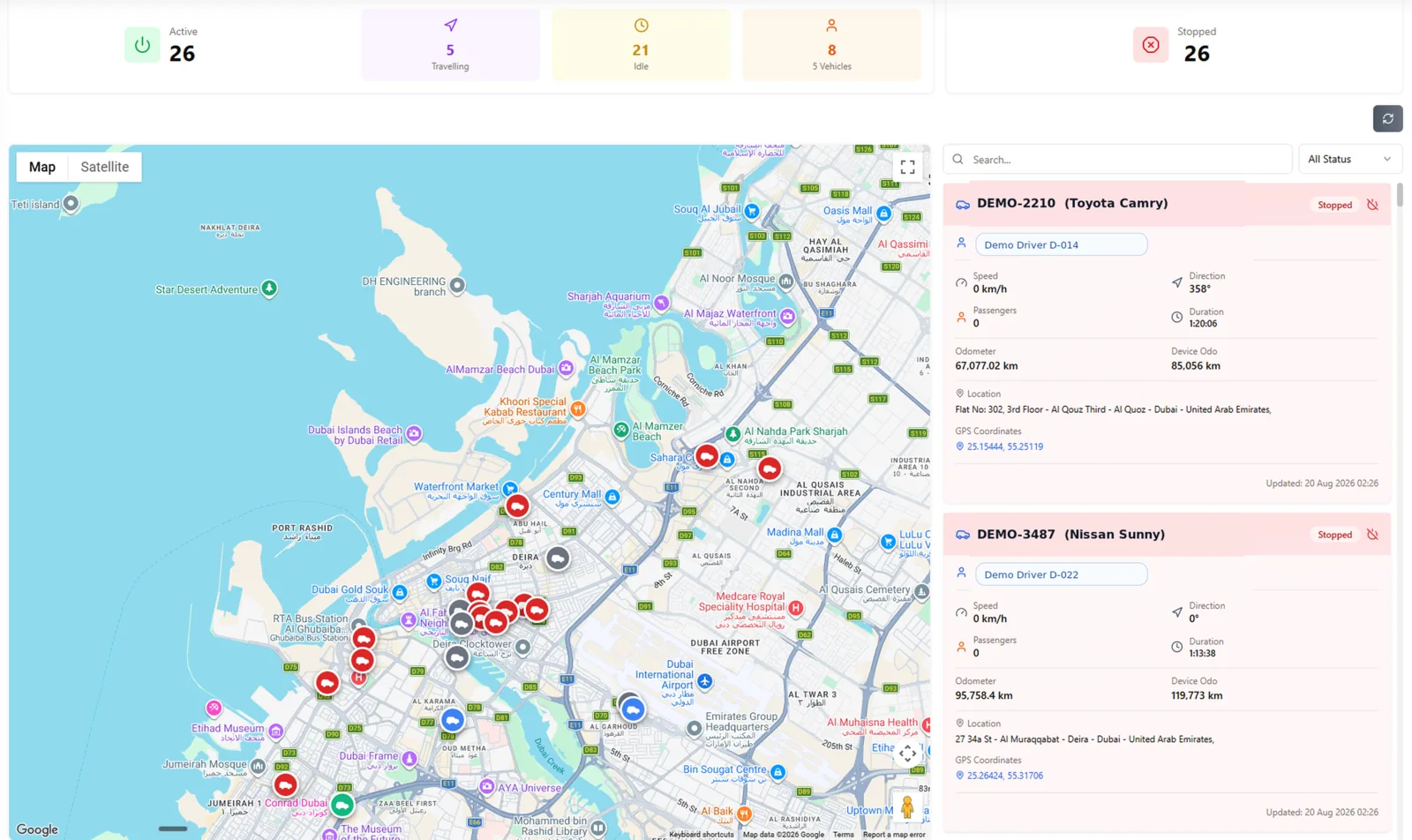
LeadingRoute live fleet tracking with vehicle locations, assigned drivers, passenger counts, speed, direction and status
Live Fleet Tracking

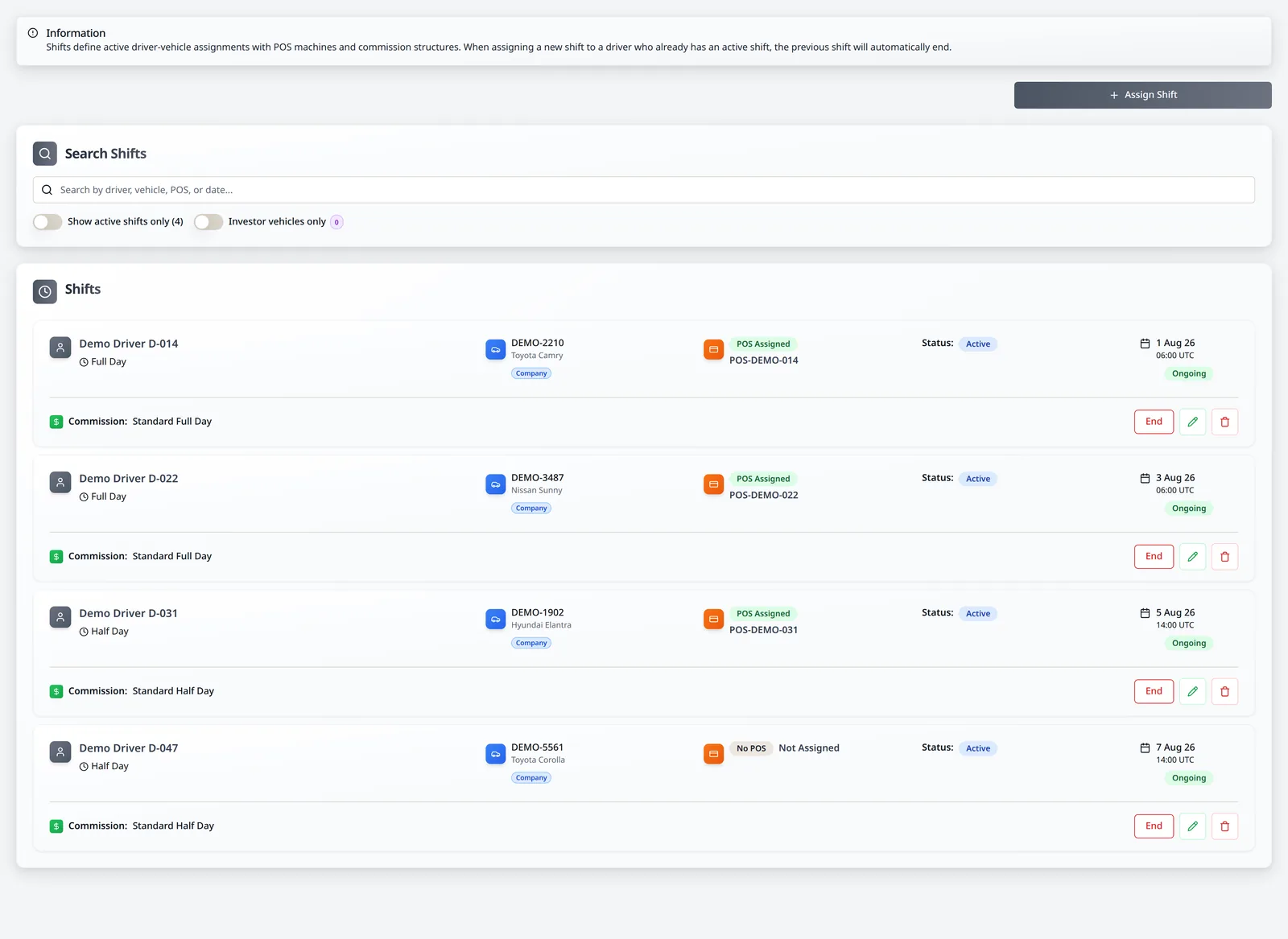
Shifts And Assignments

  • Assign drivers to vehicles from one shift record
  • Connect commission structures and POS machines
  • Use the same assignment context in operational and financial review
LeadingRoute shift management with driver, vehicle and POS machine assignments
Driver Shifts

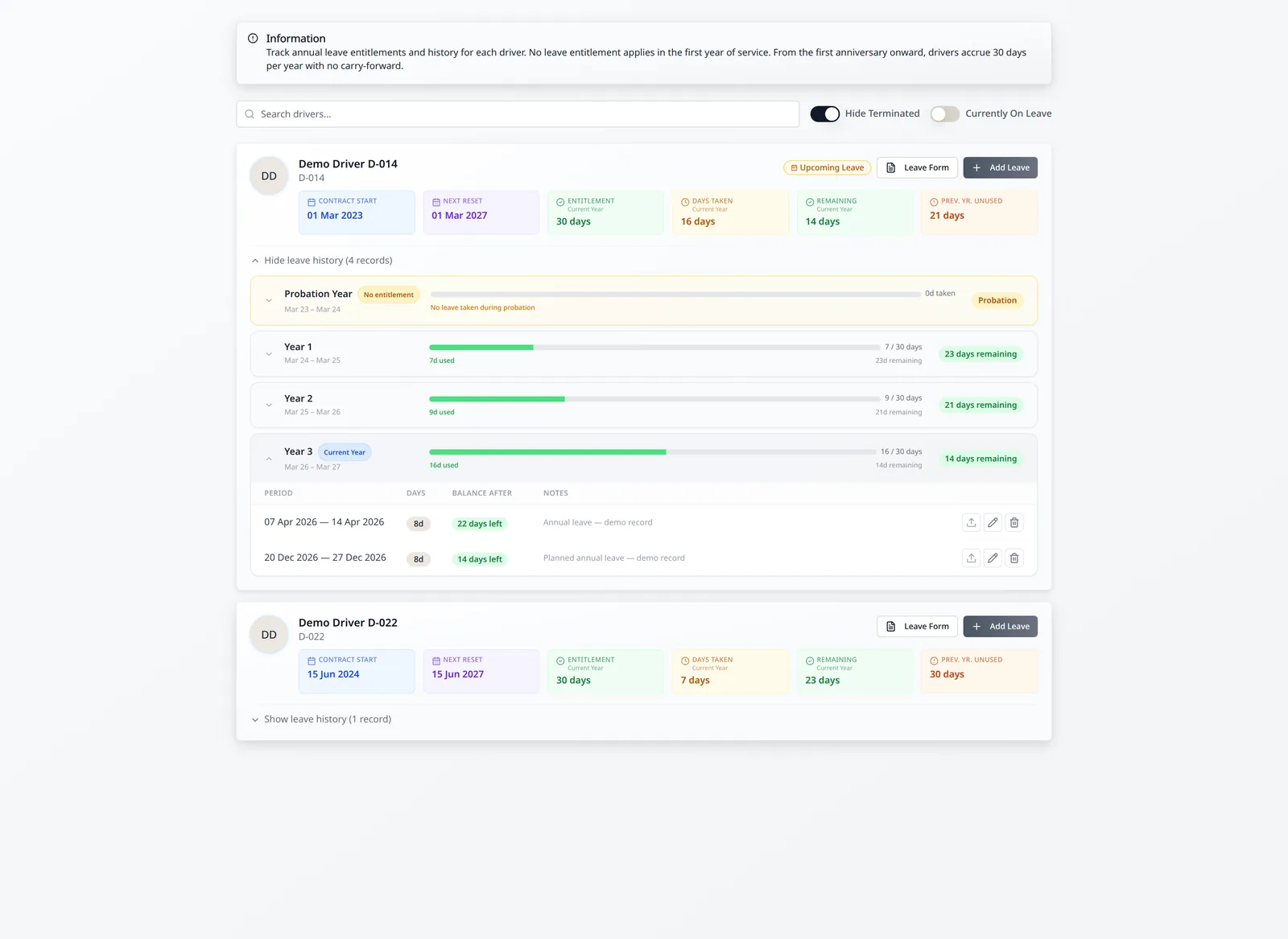
Leave Context

  • Track leave entitlement and remaining balances
  • Review upcoming, completed and historical leave
  • Keep leave forms and supporting records together
  • Align operations and payroll to the same dates
LeadingRoute driver leave management with entitlement tracking and expanded leave history
Driver Leave

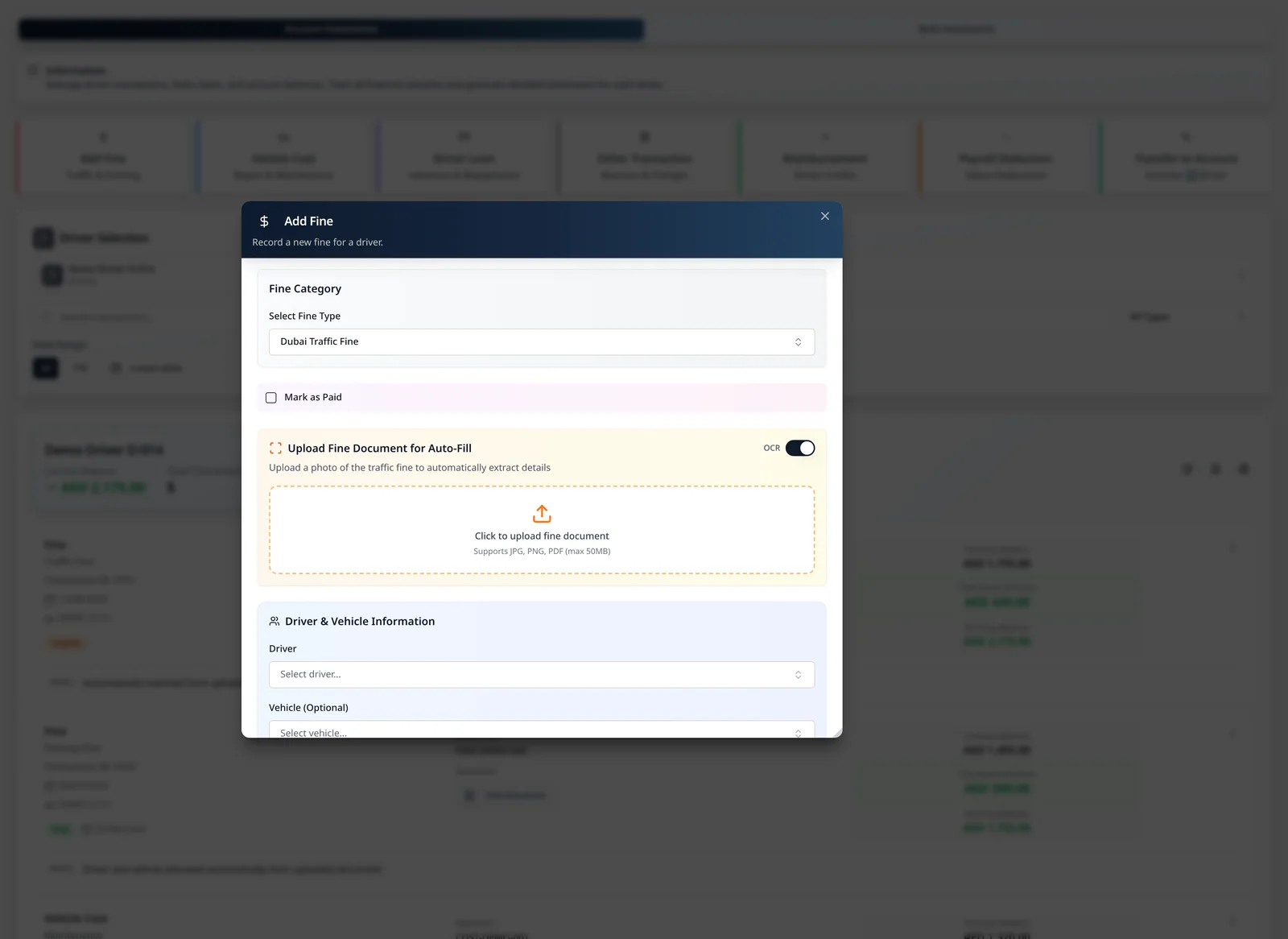
Fine Upload & OCR

  • Select the fine category and upload the source document once
  • Use OCR to capture the fine number, date, amount and vehicle plate
  • Match the relevant vehicle and driver from the operating record
  • Prepare the driver-account transaction and retain the source document
LeadingRoute Add Fine dialog with a Dubai traffic fine selected, OCR enabled and the fine-document auto-fill upload area visible
Fine Upload & OCR

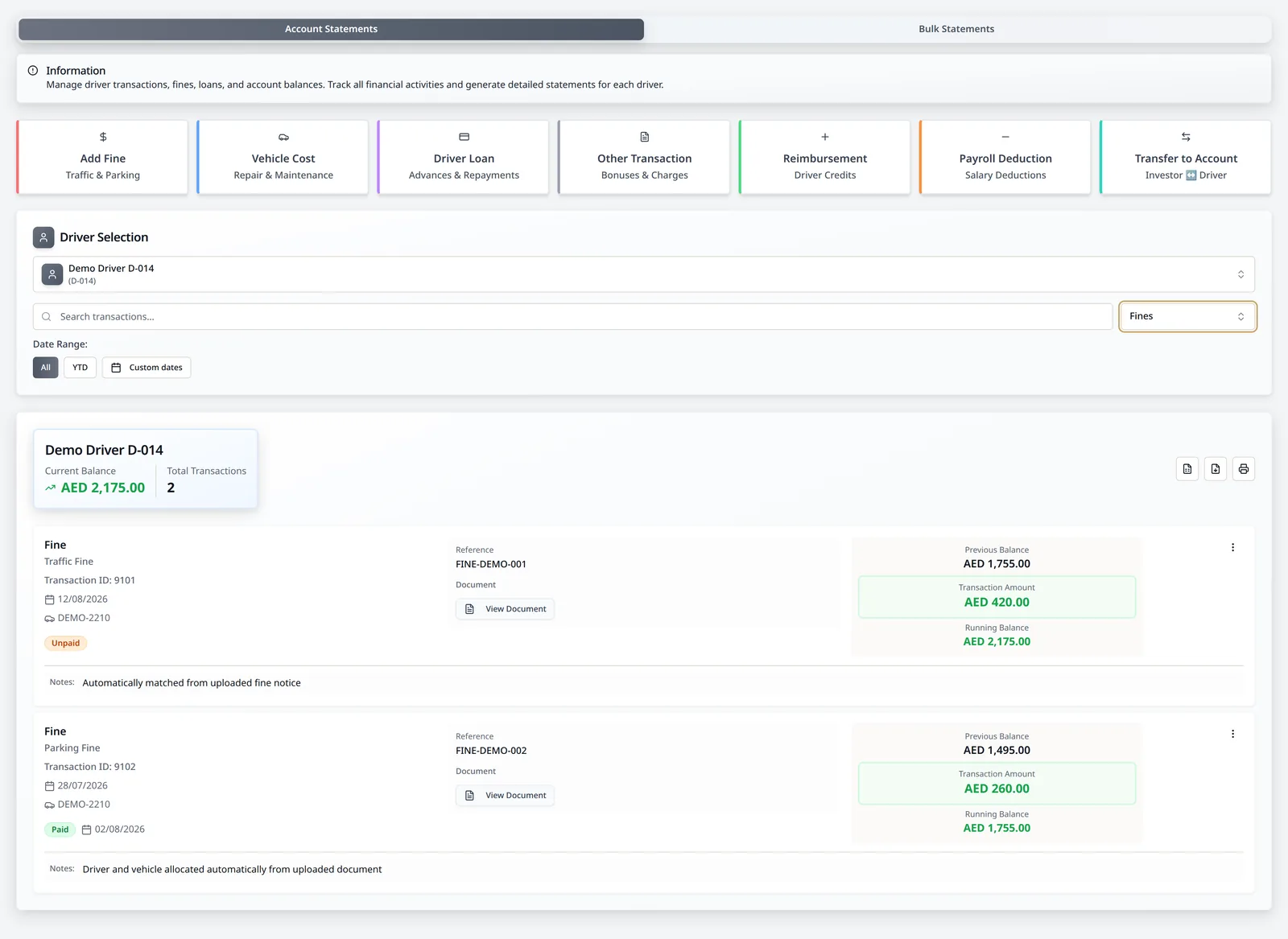
Driver Account Context

  • Upload the supporting transaction document
  • Identify the relevant driver and vehicle
  • Allocate the transaction to the driver ledger
  • Create the related accounting entry when the integration is configured
LeadingRoute driver account management filtered to fines with document-backed transactions and account actions
Driver Account Management

Driver / Vehicle Analytics

Driver and vehicle analytics remain tied to the shifts, activity and revenue supporting each result.

Analyse driver time, performance and vehicle utilisation.

Review shift timing, driver performance, distance, utilisation and working hours from the operating records created during the day.
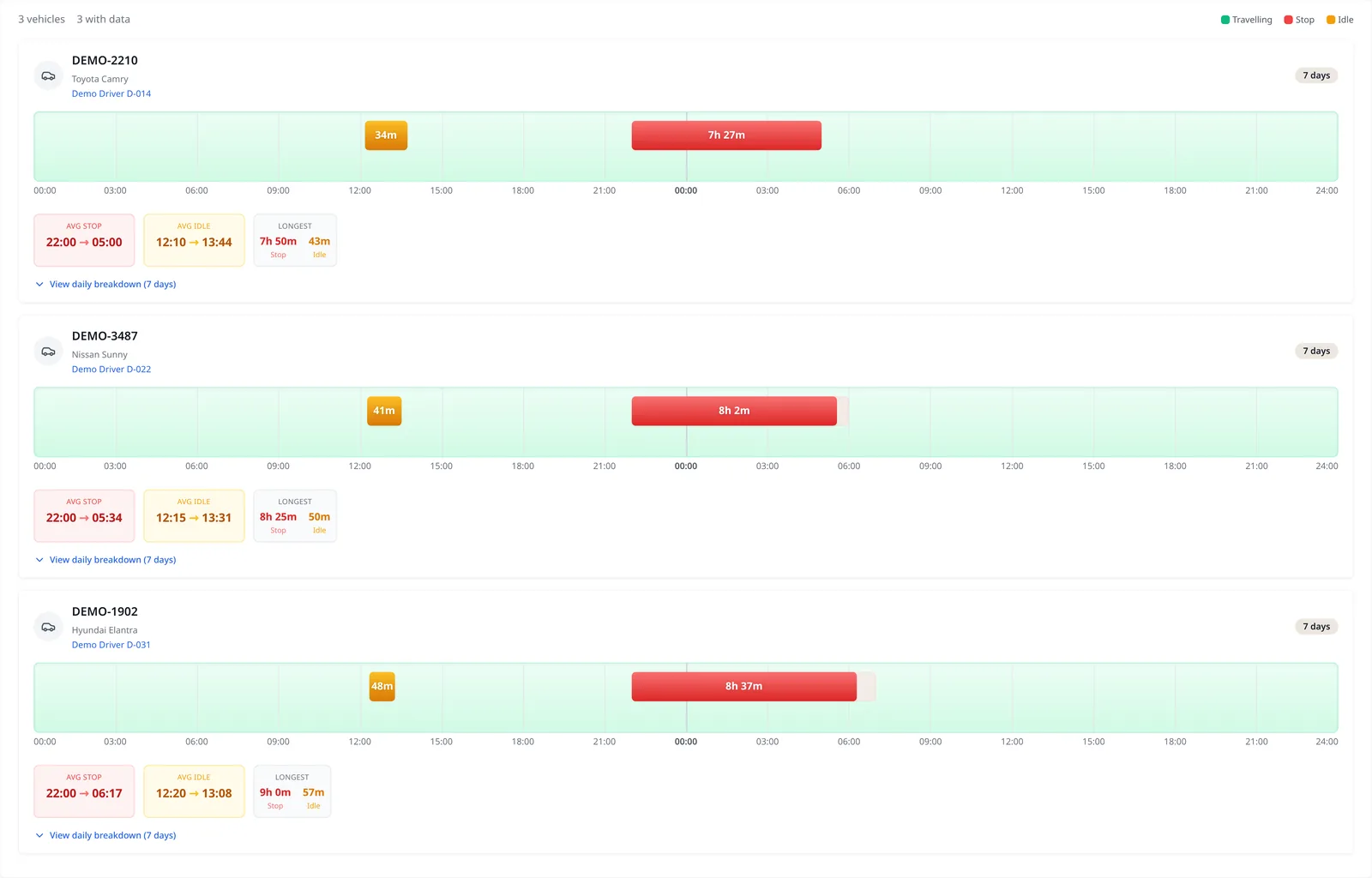
Shift Timing Analytics

  • Track travelling, idle and stopped time for every vehicle by day
  • Compare activity patterns by day
  • Use the patterns to manage driver efficiency and shift timing
LeadingRoute Shift Analytics showing daily travelling, idle and stopped patterns for fictional fleet vehicles
Shift Analytics

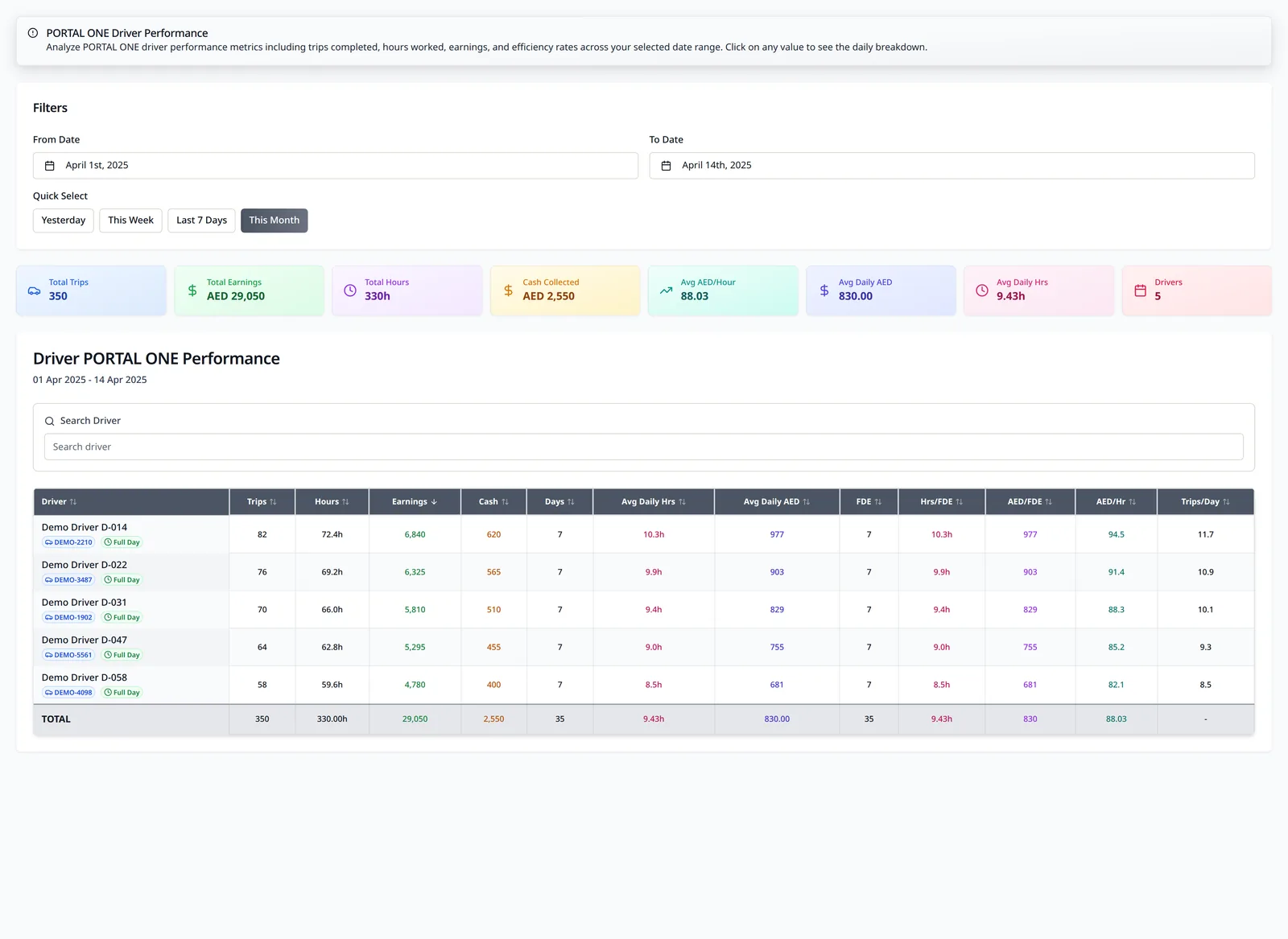
Driver Performance By Portal

  • Review driver performance within an individual operating portal
  • Compare hours, trips, revenue, cash collected and efficiency
  • Move from period totals into daily performance
LeadingRoute portal driver performance report showing fictional drivers, vehicles, trips, online hours and generated revenue
Driver Performance by Portal

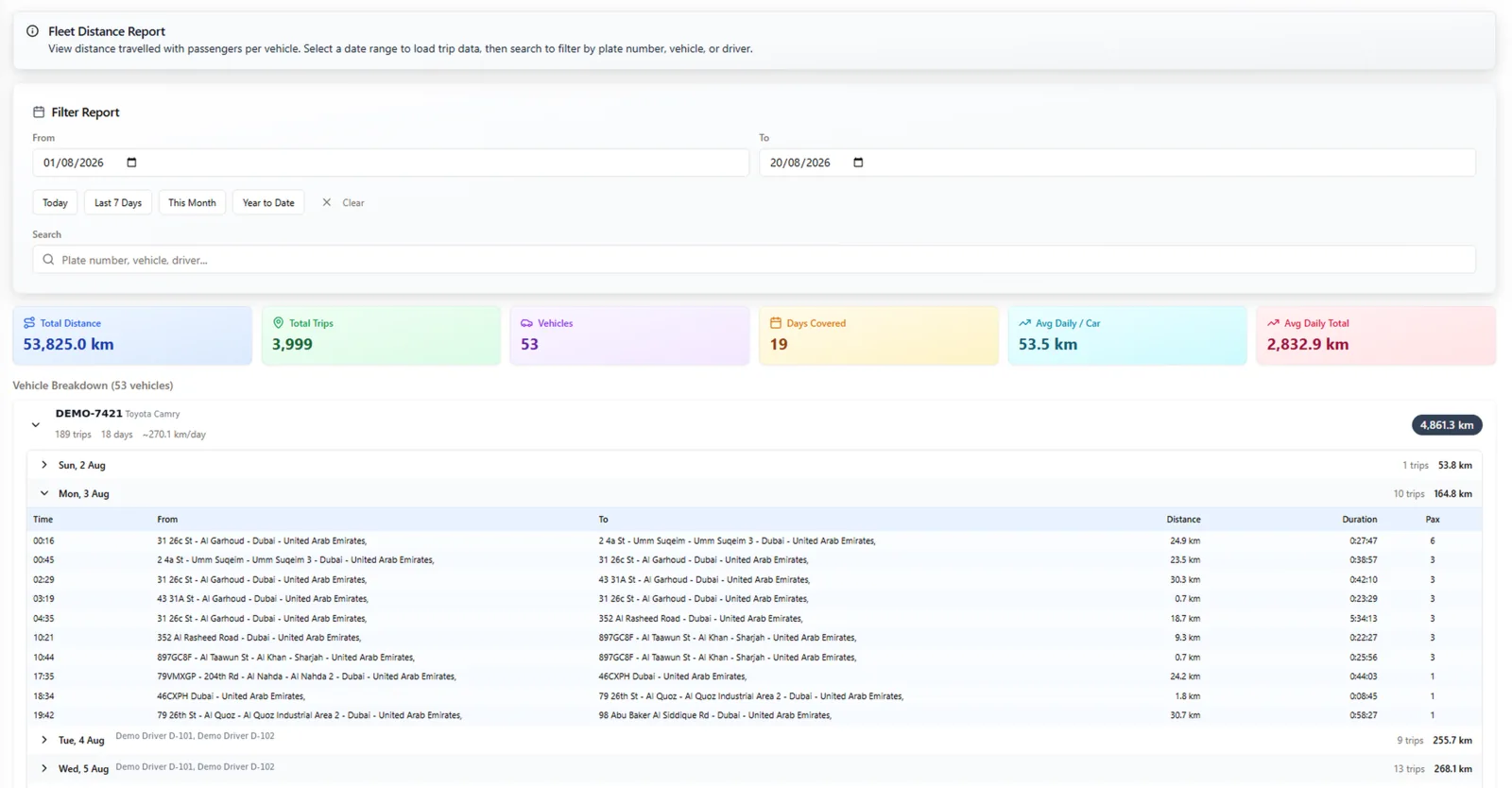
Distance And Activity History

  • Review distance and daily activity across the fleet
  • Move from fleet summaries into individual vehicles and days
  • Drill into the underlying trips
LeadingRoute fleet distance report with per-vehicle trip distances and daily drill-down
Fleet Distance Report

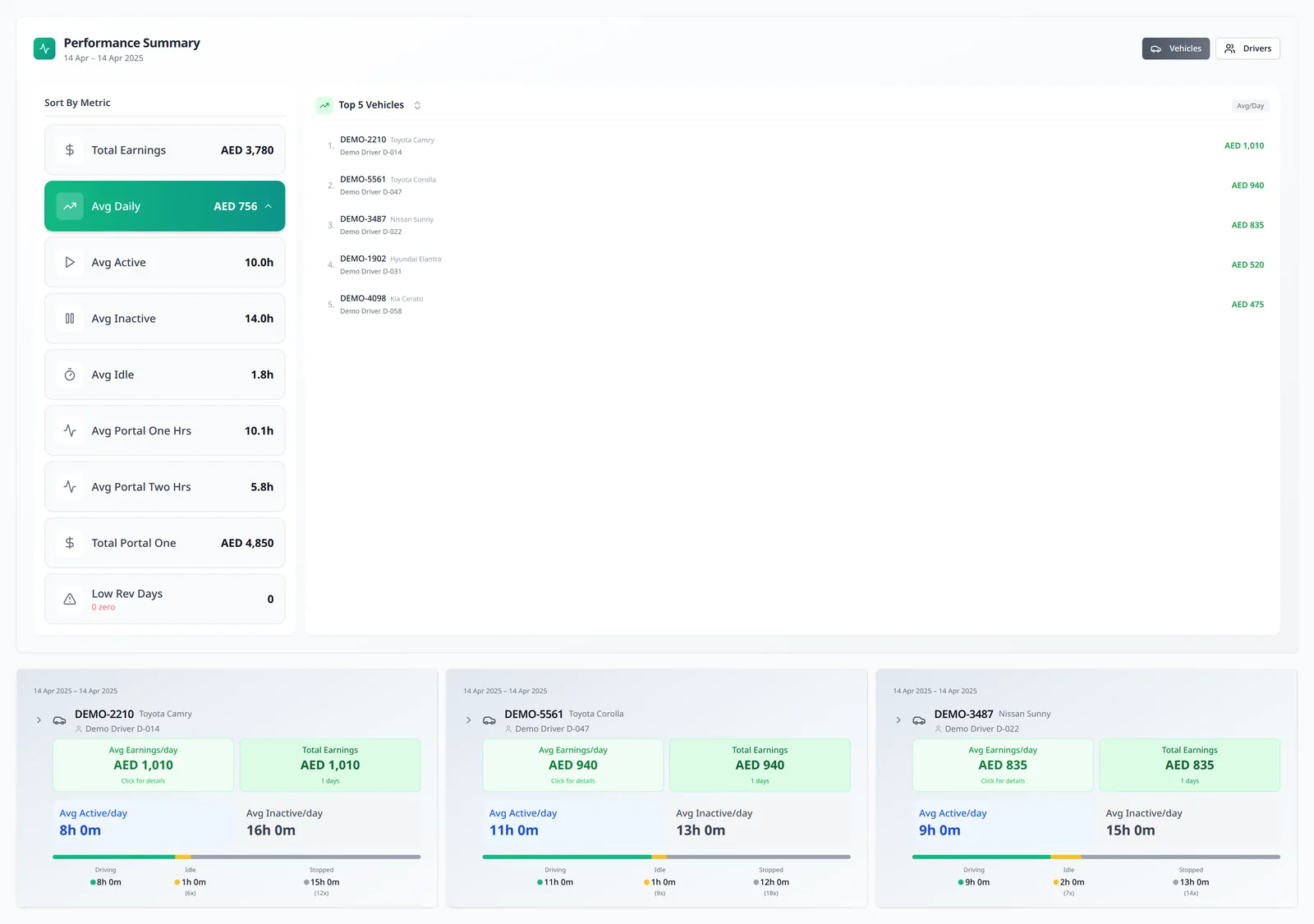
Driver Hours & Fleet Performance

  • Track hours worked by each driver across operating platforms
  • Compare active, inactive and idle time
  • Review fleet utilisation, driver and vehicle performance, and daily revenue
LeadingRoute Performance Dashboard showing driver and vehicle performance, fleet utilisation, online hours and daily revenue
Performance Dashboard

Trip Analytics

Trip records connect the booking, vehicle, driver and performance result.

Connect trip matching to trip performance.

Match bookings and trips to the relevant operating records, then review the performance and utilisation behind completed activity.
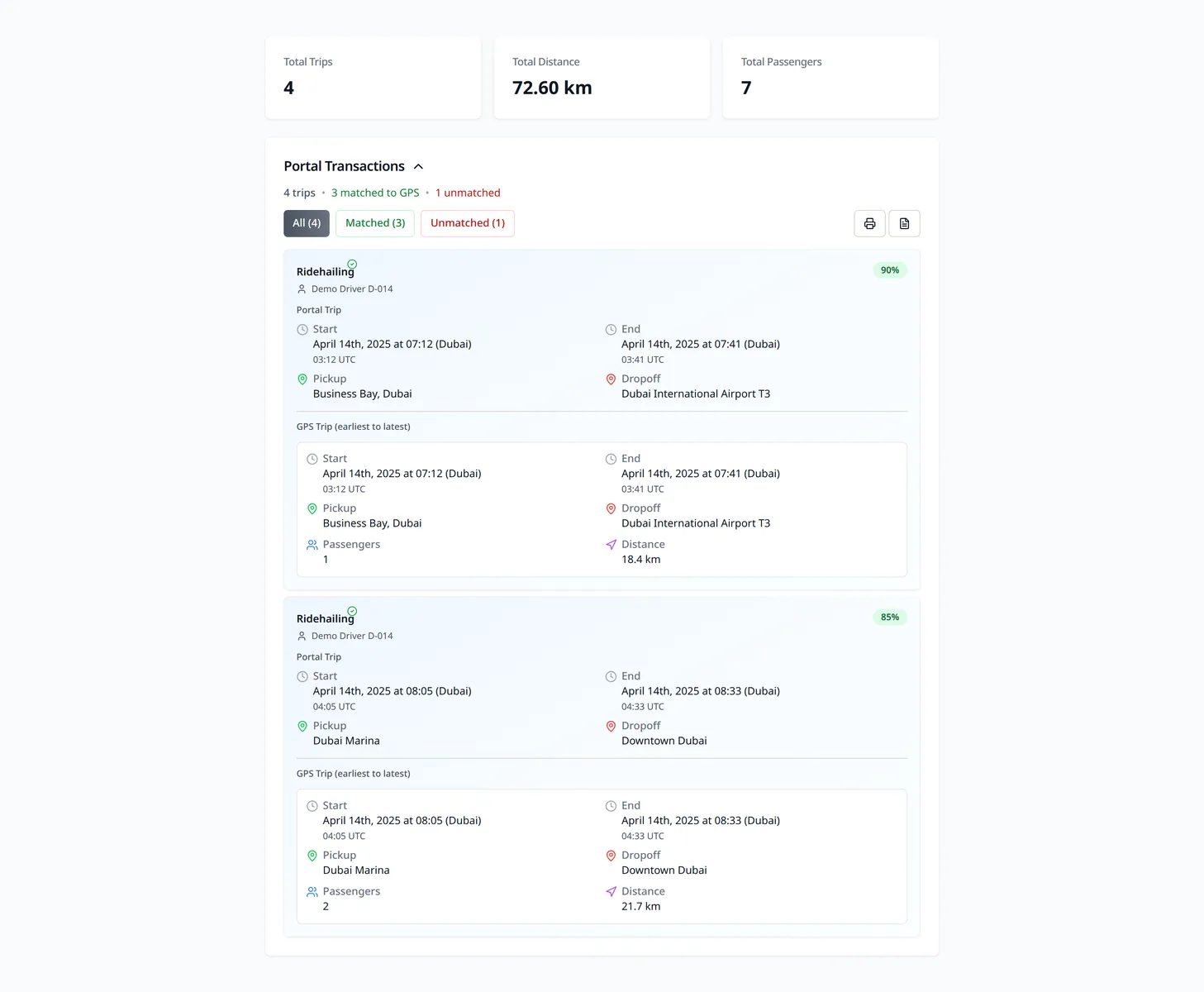
Trip And Booking Review

  • Compare portal bookings with recorded vehicle movement
  • Identify passenger journeys and missing bookings
  • Flag unassigned trips for review
LeadingRoute trip matching review showing bookings matched to vehicle movements
AI Trip Matching

Trip Activity Review

  • Review trip activity and recorded distance
  • Understand vehicle and driver utilisation
  • Trace performance back to the underlying journeys
LeadingRoute Performance Dashboard showing driver and vehicle performance, fleet utilisation, online hours and daily revenue
Performance Dashboard

See run & analyse the operations in your own operating context.

A walkthrough of LeadingRoute around your fleet, your systems and your questions.